


Is your used vehicle listing not as appealing as you hoped for? Are you struggling to get them just right?
Well, you are not alone. Many sellers often struggle with providing high-quality images. However, making a few simple adjustments can provide you with crisp photos that instantly grab attention.
So, how to improve image quality for selling used vehicles?
The key is to start with cleaning and repairing minor dents in the vehicles, followed by a well-rounded shoot. Make sure the raw images have the correct lighting and angles. Then, move on to editing. Remember not to overly edit them. You can even use car photography tools for precise adjustments.
Stay with us as we give you more in-depth guidelines on improving the image quality. Also, we will tell you about a specific tool for capturing and modifying car images. So, let’s jump right into it.
Why Image Quality Matters in Used Car Sales
Before we dive into how to improve image quality for selling used vehicles, let’s first understand the importance of high-quality images. Needless to say, the images will determine the buyer’s first impression. As a seller, you would definitely want to set the best impression to drive better sales.
Moreover, the images will show your clients what sets you apart from your competitors. Providing pixelated or unappealing images not only devalues the quality of your vehicles but also signals poor professionalism.
Furthermore, for used vehicles, the importance of quality images becomes more significant. The images will let your clients know that, despite being used, the vehicles are still in pristine condition.
Here’s a more detailed breakdown of what high-quality images do to increase sales.
- Highlight important features.
- Builds a neat vehicle listing.
- Enhances the buyers’ experience.
- Helps build trust and rapport with buyers.
- Increases online engagement.
- Maintains professionalism.
How To Improve Image Quality For Selling Used Vehicles
Building a listing consisting of used vehicles can be difficult. Clients tend to have more specific demands for used cars, as compared to the fresh ones. Hence, dealers have to put extra effort into polishing the image qualities of used vehicles.
We will now explain how to improve image quality for selling used vehicles. For your ease, we have segmented this into three parts, starting with the right preparation.
1. Preparing Your Vehicle Before Photography
If you truly want to improve the image quality, editing alone won’t be enough. You need to take a step back and start by preparing your vehicles. Since you are repurposing old vehicles, start by cleaning them inside and out.
The high-powered water jets and detergents at a car wash service should be enough. Additionally, don’t forget to get the inside of the car vacuumed. If you see any dents or spots, fix them as well. Once all that is done, consider getting the vehicle waxed.
2. Capturing The Perfect Raw Images
Another crucial step to improving image quality is getting the right shot.
You want the raw images to be as neat as possible. To begin with, choose a simple background, don’t opt for any cluttered places.
Next, use a high-quality camera or switch to HDR mode if you’re using a smartphone. More importantly, use proper lighting. Avoid harsh midday sunlight and try to take the images during the golden hour.
Focus on all key angles but avoid zooming in too much. Keep the camera parallel to the car lines for symmetry. It will make the photos more professional.
Don’t just focus on the exterior. The images should capture the interior details as well. Keep the odometer visible, buyers usually appreciate transparency in this case. Moreover, highlight any special features the car has to offer.
3. Enhancing Image Quality After Photography
Once you get the correct photos, step up your editing game to further improve the image quality. This is where images will truly come to life. Here’s a detailed guideline to edit and improve the image quality.
- Adjust brightness and contrast proportionally. Increase brightness for dull or shadowed photos. Boosting contrast will make the details of the vehicles pop out without overexposing them.
- Next, adjust the color tones. Play with the temperature and tint to make the colors more realistic.
- You can also apply light sharpening to emphasize the edges. However, make sure to be subtle, over-sharpening will give you an artificial texture.
- Don’t forget to adjust the alignment. A slight change in the alignment ruins the visuals and drives away buyers. Photo editing software like Photoshop offers automatic alignment features. Or, you can opt for manual alignment features.
- Take the framing into consideration for all the photos in a specific listing. Try to adhere to a specific aspect ratio across all photos. Crop wasted space and frame the car in the center.
- Remove any distractions from the background. Lightroom offers a Spot Removal tool to clean up little details.
Or, you can use specific car photography tools, such as C-AR. It is a mobile app that modifies the background in a few simple steps. So, the vehicles can dominate the frame in a more professional manner.
- Lastly, the most important thing is to maintain consistency throughout all the images. Offer realistic visuals through a specific pattern, don’t bounce between images with contrasting edits.
4. Maintaining Consistency Across All Photos
Consistency gives your listing a professional touch. Stick to the same lighting conditions, aspect ratio, and editing style across every image. How does it help?
Well, this uniformity helps your listing stand out as clean and organized. That’s not all, it also subconsciously builds buyer confidence.
So, think of your car gallery as a visual story; every photo should feel like part of the same set.
5. Optimizing Images For Online Listings
Once your images look perfect, don’t forget to optimize them before uploading. Compress the files so they load quickly without losing quality. Tools like TinyPNG or Squoosh can help.
Pro Tip:
Try to rename your files with relevant keywords. For instance, you can use keywords like: used-toyota-corolla-2019-front-view.jpg. This small step boosts SEO visibility and makes your listings easier to find online.
6. Adding Watermarks or Branding
If you’re selling multiple cars or representing a dealership, consider adding a small logo or watermark to your photos.
It helps maintain brand identity and prevents others from misusing your images.
7. Reviewing and Updating Photos Regularly
Lastly, keep your listings fresh. Over time, lighting, weather, or storage conditions can affect how your photos look. If your vehicle has been cleaned, repaired, or detailed again, take a few new shots.
Updated photos signal to buyers that you’re active and attentive. Remember, qualities that go a long way in building trust.
Hopefully, by following these steps, you can transform ordinary used car photos into polished, professional visuals that attract serious buyers.
8 Common Mistakes That Ruin Image Quality for Selling Used Vehicles
Even the most expensive camera can’t save your photos if a few basic mistakes slip in. When it comes to selling used vehicles, small errors can make your images look unprofessional and drive potential buyers away.
Here are some common ones to watch out for:
1. Ignoring lighting conditions:
Shooting under harsh sunlight or in dim spaces can create uneven exposure, glare, or shadows. Sometimes it leads to hiding important details.
2. Cluttered backgrounds:
A messy or distracting environment takes the focus away from the car. Always choose clean, neutral surroundings.
3. Over-editing the photos:
Adding too much contrast, saturation, or filters can make the car look fake and mislead buyers. Keep edits natural.
4. Using dirty or unclean cars:
Dust, smudges, or streaks on the body and glass instantly downgrade image quality. So, always try to clean the vehicle first.
6. Inconsistent framing or angles:
Mixing different lighting, angles, or aspect ratios across photos makes your listing look unorganized.
7. Forgetting to check reflections:
Shiny surfaces can reveal unwanted reflections of people or surroundings. So, always double-check before uploading.
8. Using low-resolution images:
Blurry or pixelated photos make your listings look cheap and untrustworthy. Always shoot in high resolution.
If you want to know more about these types of mistakes and their solutions, you can have a look at our in-depth article on 10 Photo Mistakes That Kill Your Car Sales.
9 Key Angles for Car Photography (Bonus Section)
Capturing your vehicle from the right angles helps buyers visualize it more accurately and makes your listing look professional. Here are some essential ones to include:
- Front ¾ View: The most eye-catching shot. It shows both the front and one side of the car.
- Rear ¾ View: Highlights the taillights, trunk, and rear design.
- Side Profile: Displays the vehicle’s shape, doors, and overall length.
- Front View: Focuses on the grille, headlights, and emblem.
- Rear View: Gives a clear look at taillights and bumper condition.
- Interior Cabin: Capture the dashboard, steering wheel, and infotainment system.
- Odometer & Console: Shows transparency in mileage and car usage.
- Engine Bay: Adds credibility for serious buyers who care about condition.
- Tires & Rims: Demonstrates cleanliness and attention to detail.
Use C-AR For High-Quality Car Photos
Well, that’s not all on how to improve image quality for selling used vehicles. We have more for you! What if we told you there was a modern and easy-to-use tool to modify and improve the car image quality?
Yes, that’s right, try your hand at C-AR, that too from the comfort of your smartphone. C-AR is an AI-driven photography tool that simplifies and enhances car photography.
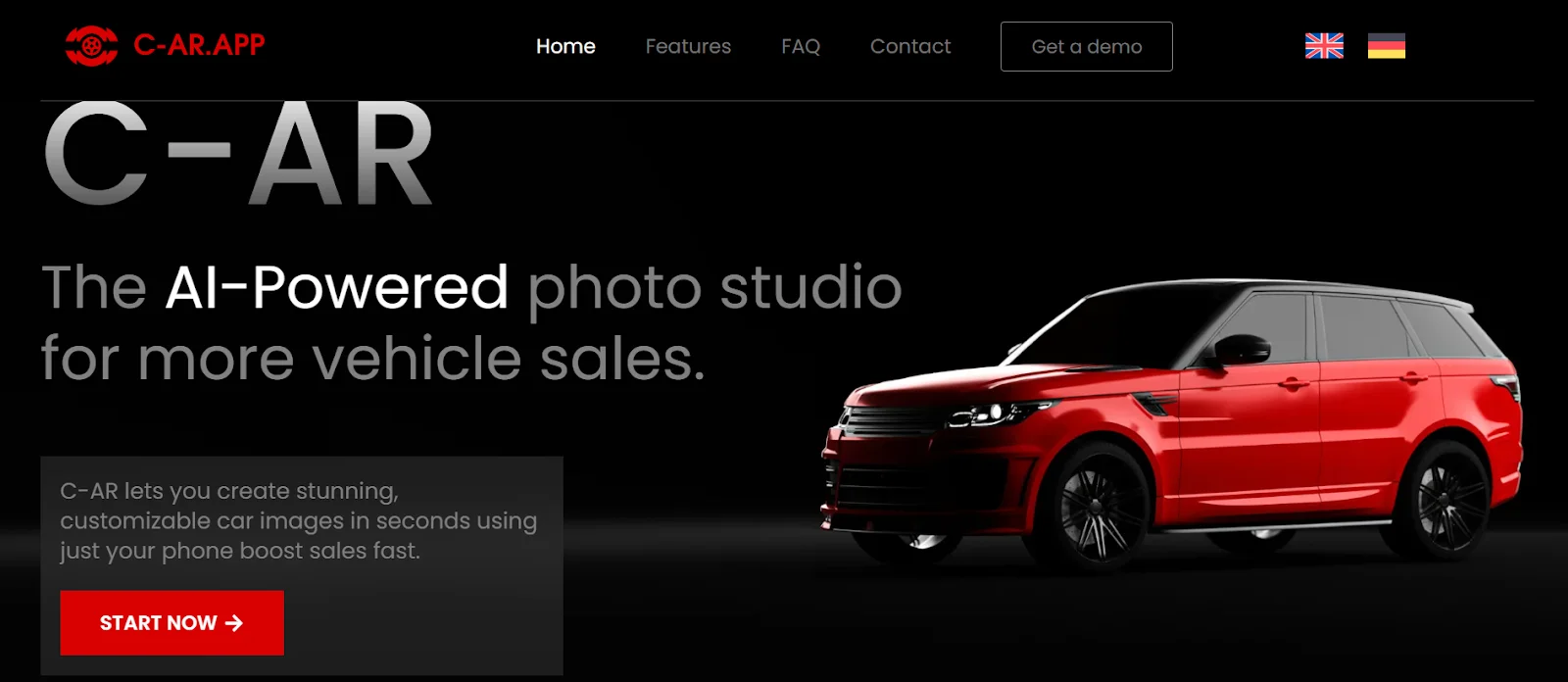
From providing capturing guidelines to editing little details, C-AR does it all You will find automated features along with instant sharing options. With car dealerships as the main target audience, this app focuses on providing large volumes of high-quality images within a short time.
Take a detailed look at what C-AR can do for you.
- Provides correct visual alignment and positioning guidelines for capturing the right image.
- Offers smart framing choices for attractive interior shots.
- Creates realistic reflections of the vehicle to add depth.
- Provides reflective showroom-style floors.
- Polishes dirty rims for a cleaner look.
- Adds custom logos for brand identity.
- Makes the license plates blurry for privacy protection.
- Enhances the background for a professional look.
Altogether, C-AR is a better and easier alternative to expensive car photoshoots. Moreover, it saves you from the hassle of a time-consuming editing workflow.
So, what are you waiting for? All you have to do is download the app and follow the in-app instructions. This is a guaranteed way to improve the image quality and consequently boost your sales.
FAQ
Q. Is it okay to edit out scratches or dents for better car photos?
No, it’s better to be transparent with your buyers. Don’t edit out any flaws in the vehicles, as it will mislead the buyers.
Q. Should I use filters on car photos when selling used vehicles?
You can make certain adjustments, but try to avoid heavy, unrealistic filters. Provide clients with authentic pictures for better credibility.
Q. Can I use my smartphone to take professional-quality car photos?
Yes, you can utilize your smartphone to achieve professional car photos. Just adhere to the basic photography and post-production editing techniques.
Conclusion
That’s all on how to improve image quality for selling used vehicles! Enhancing the quality isn’t just about editing the photos. You need to take care of the vehicle’s maintenance and capture the right photos. Only then can you move on to editing them with perfection.
However, a crucial thing to remember is maintaining transparency. Whether you’re selling used or new cars, the quality of the images must truly reflect the vehicle’s true potential!